Garden Calendar
A location-aware planting and harvest calendar for 94 crops across the continental US, calculated entirely in the browser.
Gallery
I wanted to know what I could plant right now, in my area and growing zone. Once I had that built, I realized the right way to do it was to ask for a location and give local information to anyone using it.
Claude Opus 5.5 built it all in about 15 minutes. The result is Garden Calendar: a view of what to start indoors, what to plant outside, and what may be ready to harvest, tailored to a location in the continental US.
Try Garden Calendar — choose a ZIP code or city in the continental US to explore its planting windows.
From one town to a wider growing map
The recorded project history begins on September 29, 2026, with an offline calendar for Claremont, California. By October 1, it had gained hydroponic suitability badges and a climate engine that computes calendars for locations across the continental US. The original Claremont calendar remains in the source as a reference for checking the model.
The dates on this page track that repository history, while the roughly 15-minute figure describes the time spent building.
That expansion changes the question the app can answer. A fixed calendar tells you what works in one place; Garden Calendar uses the selected location’s frost patterns, temperatures, and hardiness zone to estimate its own seasonal windows. Search by city or ZIP code, or optionally ask the browser for your location. The app uses those coordinates locally for its calculations.
A month now, or the whole year
The calendar covers 94 crops: 50 vegetables, 37 fruits, and seven herbs, with photos and growing notes that make it useful even before you know exactly what you want to grow.
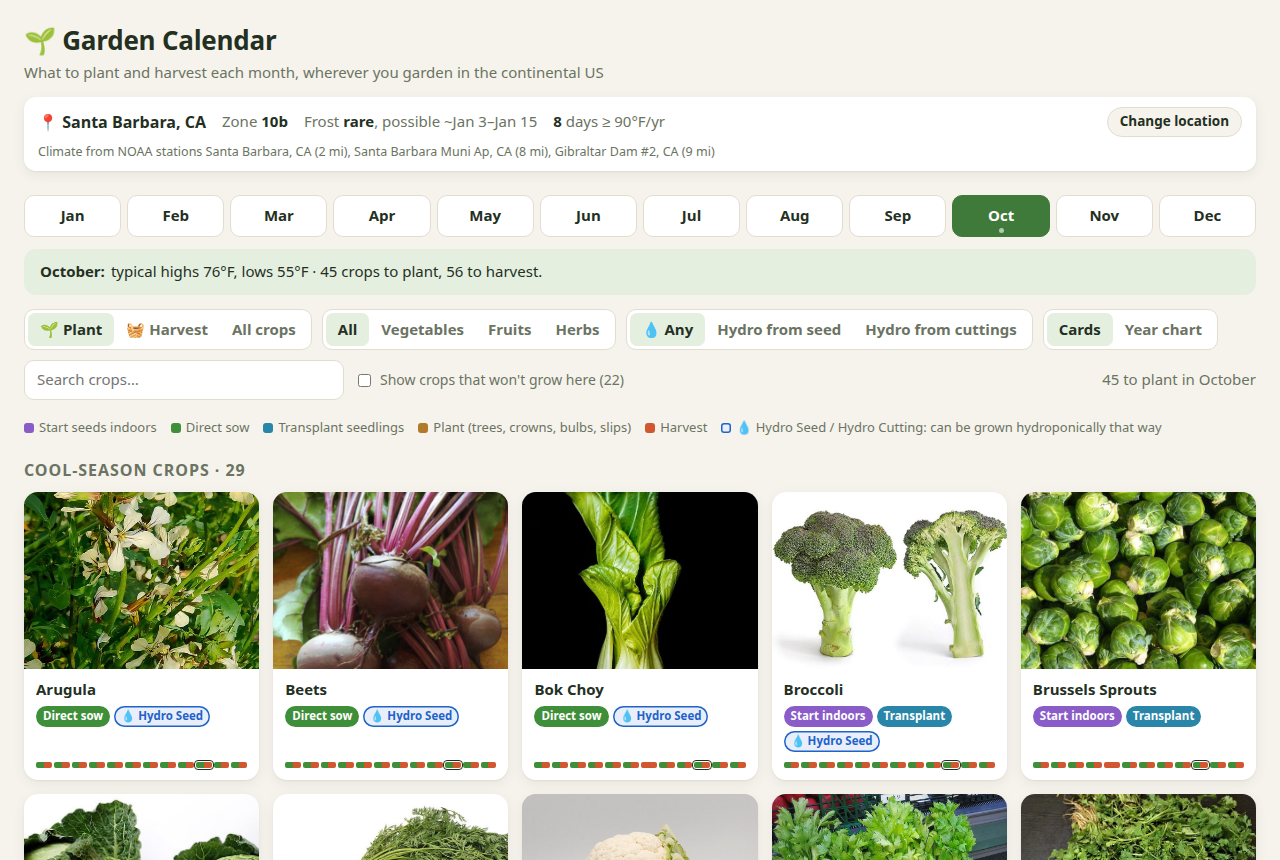
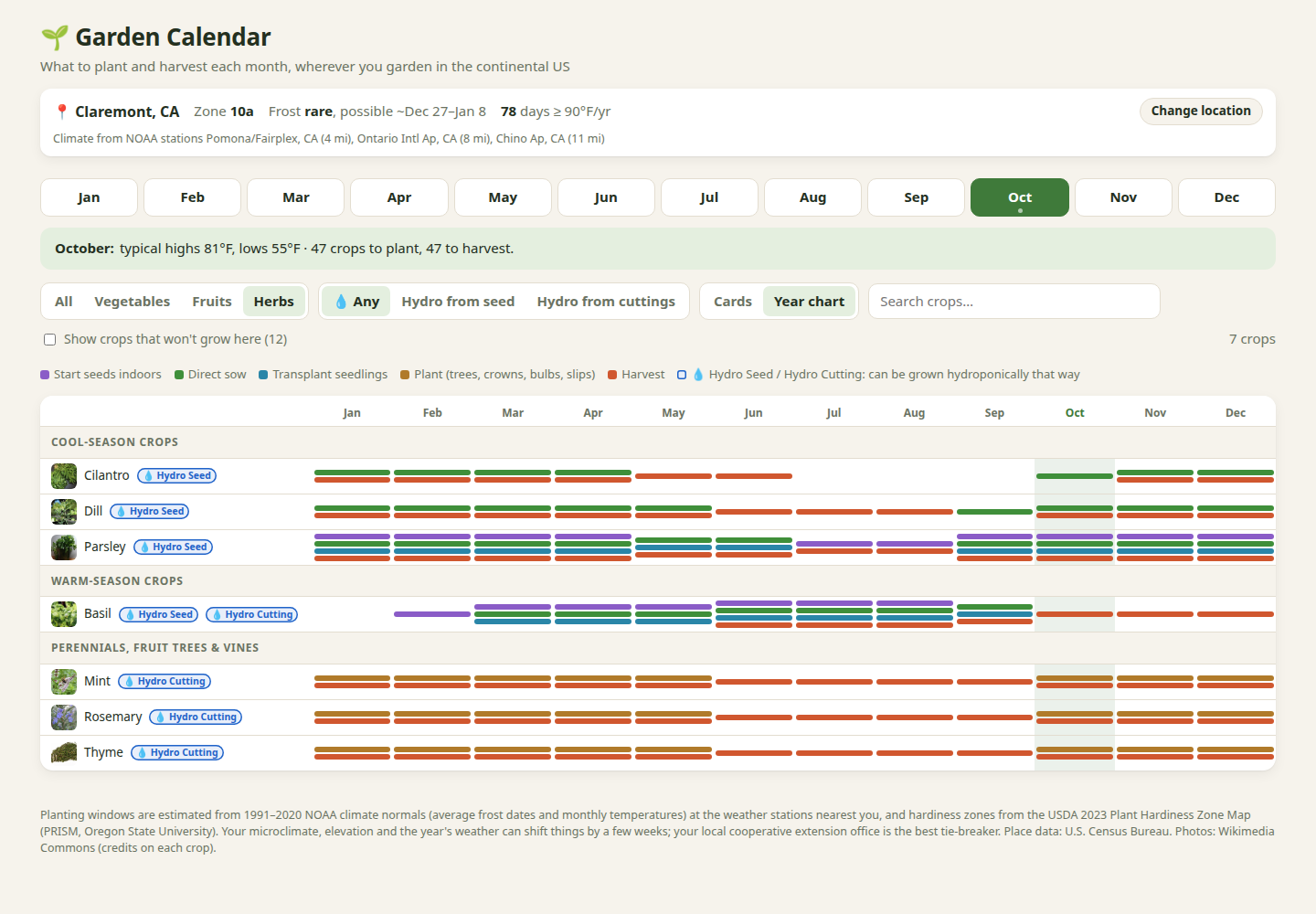
The card view focuses on the selected month, with filters for planting, harvesting, crop category, and hydroponic suitability. Colored badges distinguish indoor starts, direct sowing, transplanting, and planting trees, crowns, bulbs, or slips. The year chart lays those activities alongside harvest windows from January through December, making the overlaps easier to see.
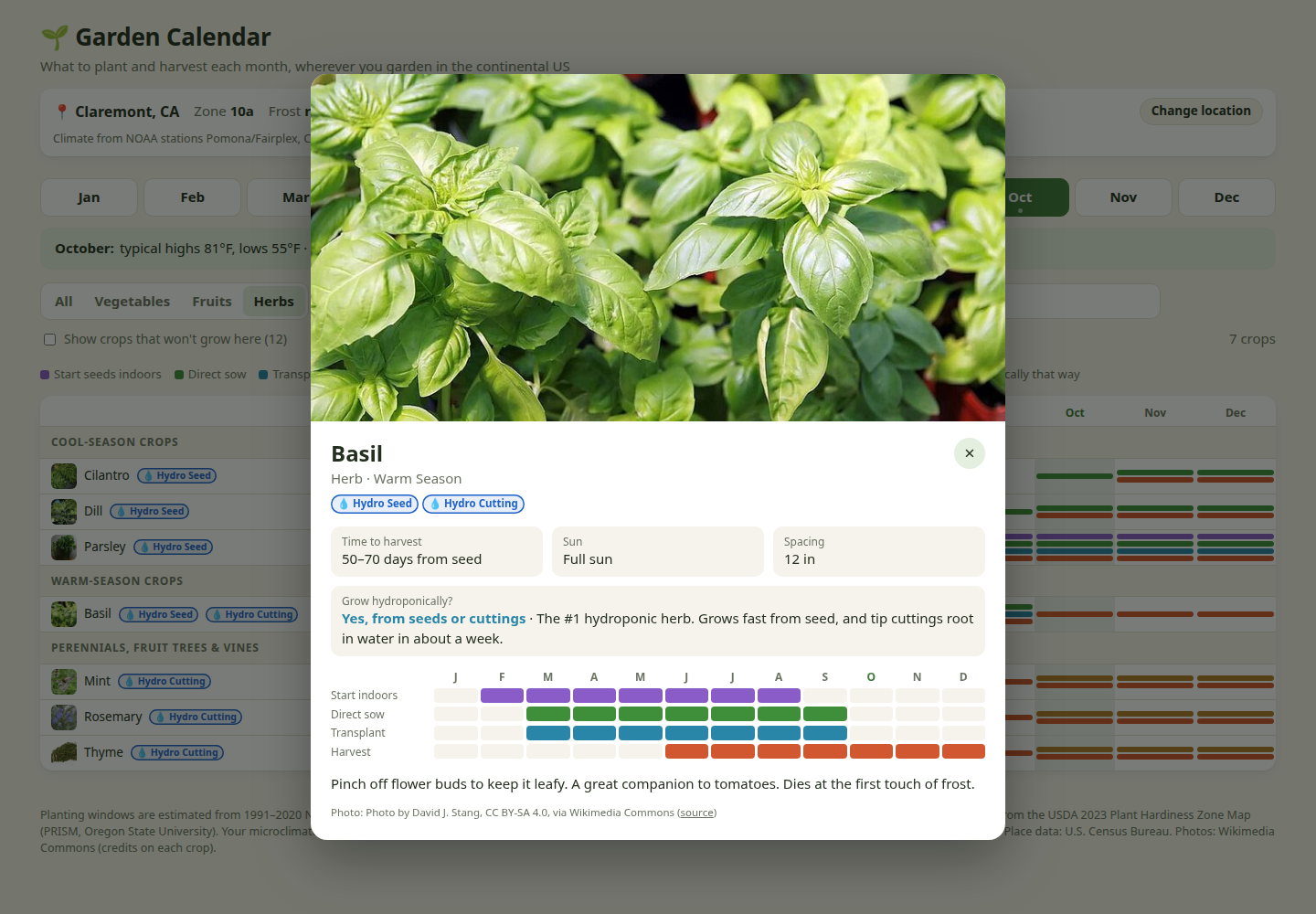
Opening a crop brings together its sunlight and spacing requirements, time to harvest, growing tips, and calendar. Hydro Seed and Hydro Cutting badges identify the supported ways to start a crop hydroponically, with further guidance in its detail view. Climate suitability is visible too: crops the model considers unsuitable are hidden by default but can be revealed with an explanation, while borderline choices carry a Marginal label and practical tips.
A small static app with a climate model inside
The interface is HTML, CSS, and JavaScript backed by precomputed crop and geographic data. Python builders prepare those datasets and the crop images; using the app does not require running the builders. Download the whole repository and open index.html to use it offline. The app has no backend or tracking, and its calendar calculations need no network API.
The data combines NOAA’s 1991–2020 climate normals, USDA’s 2023 hardiness zones from the PRISM Climate Group, and Census place data. The engine blends up to three nearby weather stations, giving closer stations more weight, and turns monthly temperatures into daily curves. For annual crops, it evaluates candidate planting dates every three days and models maturity with growing degree days, checking frost and heat constraints along the way. Perennials have their own hardiness and seasonal rules. The results become the monthly windows shown in the interface.
Those windows are estimates from long-term climate averages. They are not weather forecasts or harvest guarantees: elevation, microclimate, and the particular year’s weather can move the useful dates by weeks. Local cooperative extension guidance remains a useful tie-breaker when the calendar and the garden disagree.
Screenshot and crop-photo credits
These screenshots show Garden Calendar, whose code is released under the MIT license. The crop photos were already resized or cropped for the app and retain their individual terms below. Crop names link to the original Wikimedia Commons image records; the app’s MIT license does not cover these photos.
- Arugula: Сарапулов — CC BY 4.0.
- Beets: BriannaWalther — CC BY-SA 3.0.
- Bok choy: spurekar — CC BY 2.0.
- Broccoli: Fir0002 — GFDL 1.2.
- Brussels sprouts: Eric Hunt — CC BY 2.5.
- Cabbage: Fir0002 — GFDL 1.2.
- Carrot: Evan-Amos — public domain.
- Cauliflower: Coyau — CC BY-SA 3.0.
- Celery: Lombroso — public domain.
- Chard: Neelix at English Wikipedia — public domain.
- Cilantro: Kpsudeep — CC BY-SA 4.0.
- Dill: Forest and Kim Starr — CC BY 3.0 US.
- Parsley: Etopalrux — CC BY-SA 4.0.
- Basil: David J. Stang — CC BY-SA 4.0.
- Mint: C T Johansson — CC BY-SA 3.0.
- Rosemary: Margalob — CC BY-SA 4.0.
- Thyme: Evan-Amos — CC0.


.jpg)


.jpg)

.jpg)


